For Guards
Built for the gate,not the office.
Hood Gate is a separate app for security staff — large text, big targets and a clear queue, made for gloves, glare and night shifts.
18px
base text size — readable at arm’s length in sunlight
64dp
touch targets, sized for thumbs and gloves
Offline queue
entries made without signal go out when it returns
2 languages
Hindi and English, switchable on the device
01 / Check-in
A code, or four big buttons.
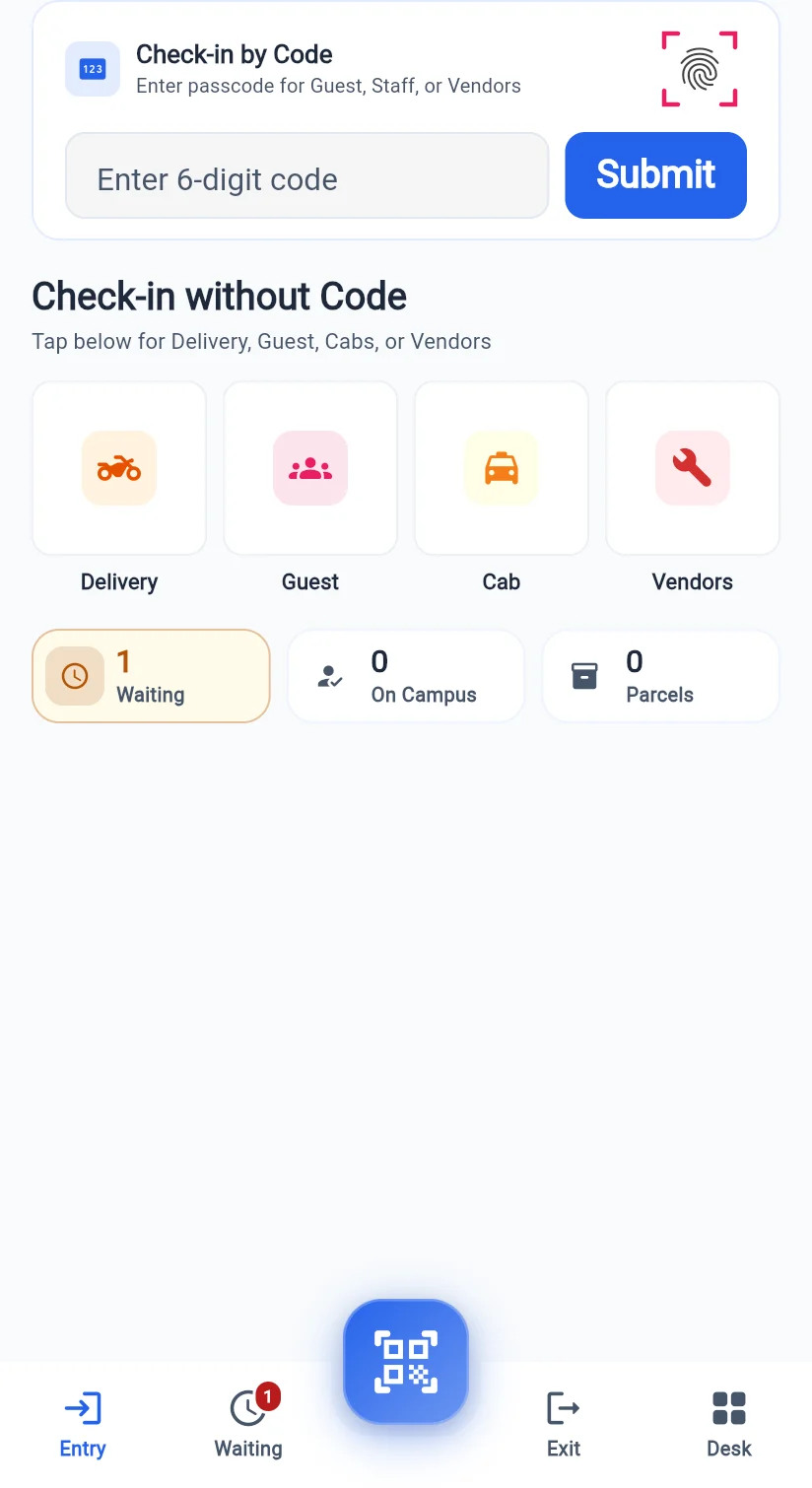
Residents’ guests, staff and vendors arrive with a 6-digit code — type it or scan the QR and they’re in. Everyone else is one tap away: Delivery, Guest, Cab or Vendors.
- 6-digit passcode or QR scan
- Delivery, Guest, Cab and Vendor shortcuts
- Waiting, on-campus and parcel counts at a glance
02 / Find the flat
Every flat, one search away.
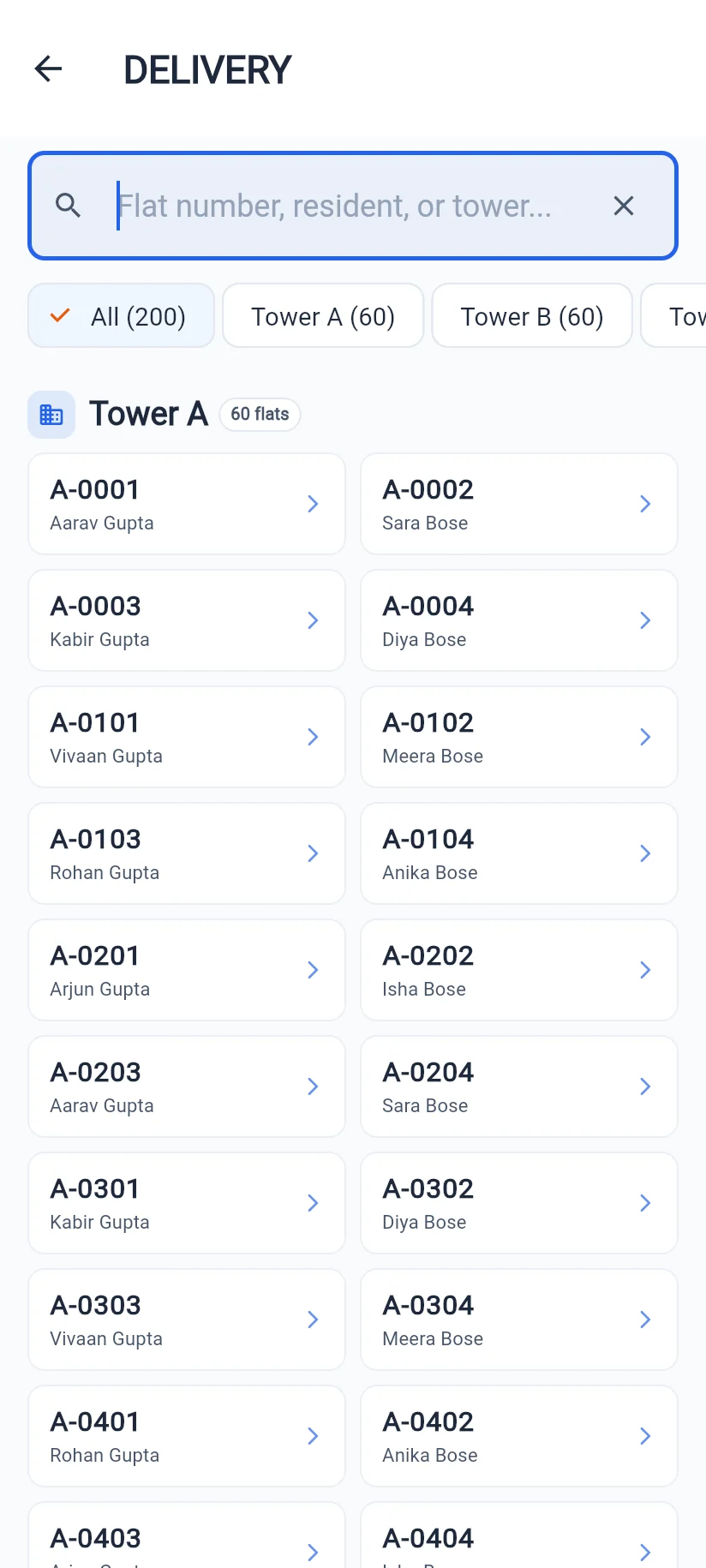
Search by flat number, resident or tower. Each tower is grouped and counted, so the right home is found in seconds — then one tap asks the flat.
- Search by flat, name or tower
- Towers grouped with flat counts
- Visitor name, company and vehicle captured
03 / Waiting
A queue with a clock on it.
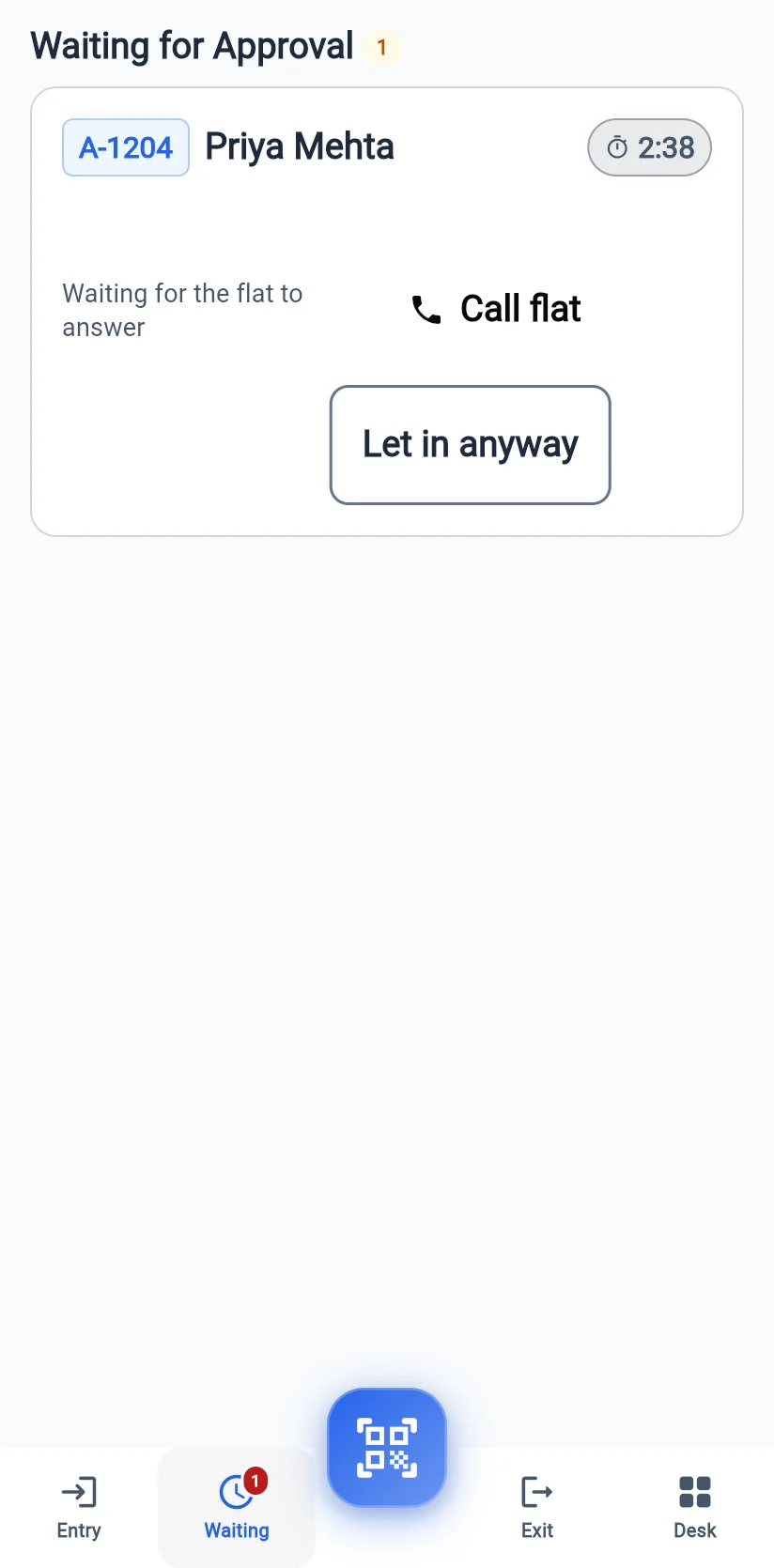
Visitors waiting for a resident’s answer sit in one list with a live countdown. Call the flat directly, or let them in when the resident says so on the phone.
- Live countdown for each request
- Call the flat in one tap
- “Let in anyway” when the resident confirms by phone
04 / Desk tools
The whole security desk in one tab.
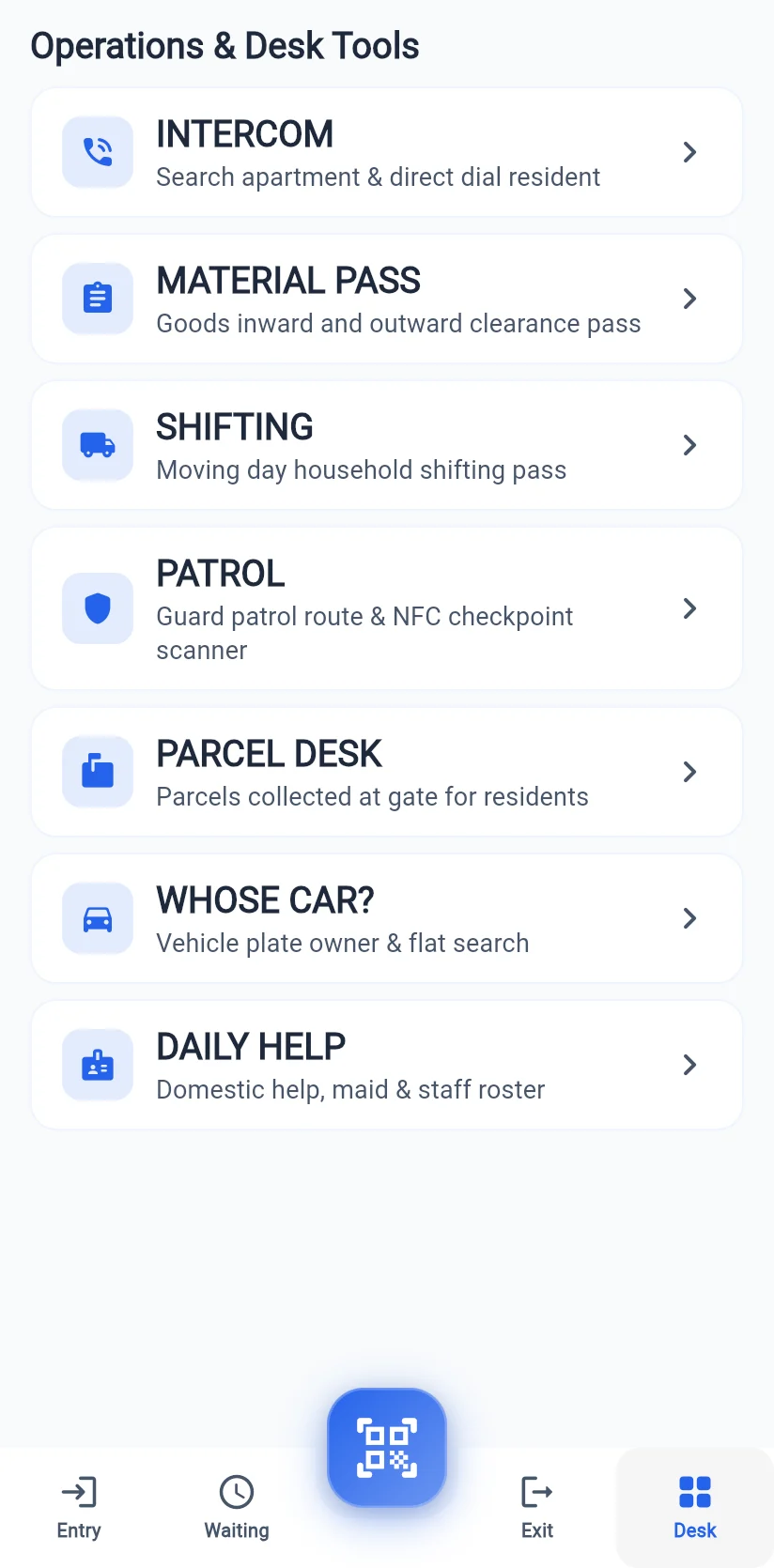
Everything a gate does besides visitors: intercom, material passes, moving day, patrols with NFC checkpoints, parcels, “whose car is this?” and the daily help roster.
- Intercom and material passes
- Patrol routes with NFC checkpoints
- Parcel desk and vehicle lookup
Keep exploring
Hood foreveryone else.
